Pre-launch · Built in India · Discount code open

Reliability like
never before.

And your footage never leaves India. A high quality, reliable dash cam at an affordable price — syncs straight to your phone over WiFi, with no foreign cloud in the loop.

Join the waitlist to get your discount code — and talk to us directly about what you want in a dashcam.

WiFi-direct — camera to phone Indian cloud — local cloud, opt-in ₹0 to join · discount code included
hero product shot — DashMan SKU 1 on the windshield, golden hour
FOOTAGE STAYS IN INDIA  ·  NO FOREIGN OR CHINESE CLOUD  ·  WIFI-DIRECT CAMERA-TO-PHONE SYNC  ·  RECORDS WHEN THE APP IS CLOSED  ·  AI 4× SUPER-RESOLUTION ON-DEVICE  ·  READS NUMBER PLATES AT NIGHT  ·  INCIDENT AUTO-LOCK  ·  AUTO SD-CARD OFFLOAD  ·  WORKS WITH ZERO MOBILE SIGNAL  ·  OPTIONAL BACKUP IN AWS MUMBAI  ·  CLOUD OFF BY DEFAULT  ·  NO SUBSCRIPTION  ·  HIGH QUALITY · AFFORDABLE PRICE  ·  GPS + G-FORCE ON EVERY CLIP  ·  ONE-TAP TRIM & SHARE  ·  BUILT IN INDIA  ·  WAITLIST OPEN  ·  DISCOUNT CODE FOR EARLY SIGNUPS  ·  TALK TO THE FOUNDERS  ·  
The hardware

Built to sit on your windshield.

One high quality, reliable dash cam at an affordable price — designed for Indian cars and Indian heat. Final product photography drops straight into these frames.

front 3/4 on windshield
in hand · scale
lens macro · night detail
001 · The dashcam

One camera.
Done properly.

Most dashcam advice in India argues about resolution. What actually decides a good dash cam is the sensor, the app, and where your footage ends up. DashMan is a high quality, reliable camera at an affordable price, and it gets those three right before adding anything else.

002 · The app

This is the real build.

Not a concept render — these are the actual screens of DashMan OS, the developer build running against real hardware today. Scroll through what it does; the production design ships with the camera.

SCREEN 01 · SIGN IN

One account.
Every camera.

Sign in once and every DashMan camera you own syncs to it. The account only manages access — footage itself stays on your own devices, never a vendor server.

SCREEN 02 · CREATE ACCOUNT

New here?
Thirty seconds in.

One account for all your cameras, with a live password-strength check and a Terms & Privacy step you actually see — no marketing opt-in buried underneath.

SCREEN 03 · PAIR

Scan a QR.
Or just join the WiFi.

Scan the code printed under the camera mount, or connect to its hotspot manually. Either way, footage moves camera-to-phone directly — no internet required in between.

SCREEN 04 · CAMERA

Searching,
not stuck.

Before the camera's back in range, the app says so plainly — and quietly tracks the clips still waiting on the SD card so nothing gets lost in the gap.

SCREEN 05 · LIVE VIEW

See what it sees,
live.

Once connected, the live feed streams straight off the camera. Recording status and SD card headroom sit right below it — no digging through menus to check.

SCREEN 06 · RECORDING MODE

Loop by default.
24-hour if you need it.

Incident loop keeps only hard braking, impacts and manual saves — the card almost never fills. Switch to 24-hour recording with a hardwire kit for street parking or fleet use.

SCREEN 07 · FOOTAGE

Every clip,
sorted the moment it lands.

Clips, photos and timelapses each get their own tab. New incidents are flagged the second they sync — tap one to enhance it.

SCREEN 08 · PHOTOS

Stills get
the same treatment.

Photos pulled off the camera enhance exactly like video — 4× on-device, one tap, nothing uploaded.

SCREEN 09 · TIMELAPSE

Whole drives,
in seconds.

A two-hour commute condenses into a 20-second clip — distance, duration and speed multiplier shown up front.

SCREEN 10 · PLAYER

Trim it.
Enhance it. Share it.

Speed, G-force and GPS ride along with every clip. Drag the trim handles to cut the dead air before you enhance or share.

SCREEN 11 · AI ENHANCE

Runs here.
Stays here.

4× super-resolution runs on your phone while you lock the screen and walk away — nothing you record ever leaves the device to get sharper.

SCREEN 12 · YOU

Everything else,
one tab.

Firmware updates, recording mode, sync toggles, cloud backup off by default — the whole camera lives under a single settings screen.

dashman.
Welcome back.
Sign in to sync your cameras and footage across devices.
Email
arjun@example.com
Password
••••••••
Forgot password?
Sign in
New here? Create an account
dashman.
Create your account.
One account for all your cameras — footage stays on your devices.
Full name
Arjun Rao
Email
arjun@example.com
Password
••••••
Good
I agree to the Terms of Service and Privacy Policy.
Create account
Already have an account? Sign in
STEP 2 OF 3
Connect your camera.
Pick whichever is easier — both take under a minute.
Scan the QR code
Printed under the camera mount. Fastest way in.
Open scanner
Join camera WiFi
Connect to DashMan-4F2A manually. Android may warn there's no internet — that's expected.
Footage moves camera-to-phone directly — no internet in between.
dashman.
Camera
Not connected
Live view appears here once
your camera is in range.
Connect camera
Searching for DashMan-4F2A
While you were away
3 clips are still on the SD card. They'll sync automatically when the camera reconnects.
Camera
Footage
You
dashman.
Camera
Connected
1 channel
Live view from the DashMan cameraFRONT · 1280×960 · 30fpsLIVEFRONT
RecordingActive · loop
SD card78% free
Auto-sync
3 incidents pulled today · SD cleared automatically
Camera
Footage
You
Recording mode
Incident loop Recommended
Records continuously but only keeps clips around hard braking, impacts and manual saves. The SD card almost never fills.
24-hour recording
Keeps everything, around the clock — including while parked. Needs a hardwire kit & more storage.
Hardwire setup takes ~20 minutes. Step-by-step guidance is in the FAQ.
Keep incident loop
Footage
Clips
Photos
Timelapse
Select a clip to enhance it — AI upscaling runs on this phone.
Today
00:32NEW
INC_0143.MP4
18:42 · 64 km/h · 0.41 g
00:28NEW
INC_0142.MP4
14:07 · 38 km/h · 0.29 g
00:35✦ 4×
INC_0141.MP4
09:51 · 71 km/h · 0.36 g
00:30
INC_0140.MP4
08:15 · 52 km/h · 0.31 g
Camera
Footage
You
Footage
Clips
Photos
Timelapse
Photos can be enhanced too — select one to upscale it 4× on this phone.
This week
✦ 4×
PHT_0012.JPG
PHT_0011.JPG
PHT_0010.JPG
PHT_0009.JPG
PHT_0008.JPG
PHT_0007.JPG
Camera
Footage
You
Footage
Clips
Photos
Timelapse
Whole drives condensed into seconds.
00:48
TLP_0006.MP4
Today · 07:10–09:35 · 42 km
120× speed
01:12
TLP_0005.MP4
Yesterday · 18:05–21:40 · 96 km
120× speed
Camera
Footage
You
INC_0143.MP4
1280×960✦ Enhanced 4×
00:07
00:32
64
km/h
0.41
peak g
GPS ✓
tagged
Raw 320p
✦ AI Enhanced 4×
Enhancement runs on your phone. Nothing is uploaded.
TrimShorter clips share faster
start 00:04keeping 00:16end 00:25
Save copy
Share
INC_0143.MP4
Enhancing your clip…
320×240 → 1280×960 · ESPCN ×4
64% · frame 612 of 940
Running on this phone — you can lock your screen. We'll ping you when it's done. Nothing leaves your device.
Cancel enhancement
You
AR
Arjun Rao
arjun@example.com · 1 camera
What's new
Camera firmware v1.0 is ready
Better night exposure and faster WiFi handshake. ~3 minutes while parked.
Install update
Footage
Auto-sync over WiFi
Clear SD after sync
Cloud backup a local cloud in India
About
Help & FAQ
Privacy & data
App version0.1.0
Camera
Footage
You
003 · Where your footage goes

Most dashcam apps route your drive through someone else's cloud.

Many popular dashcams sold in India ship with a rebadged OEM app whose cloud sits outside the country — sometimes a Chinese vendor, rarely disclosed. DashMan is the opposite: your footage stays on your phone, and stays in India. Read how it works →

What mattersTypical OEM-app dashcamDashMan
Camera → phone pathVia vendor app & cloudDirect over local WiFi
Cloud locationOften outside India, undiscloseda local cloud in India — opt-in
Recording when app backgroundedA known complaint in reviewsCamera records independently
AI enhancementCloud-side or absentOn-device — frame never leaves phone

See the full comparison: how DashMan compares to other dashcams. "Typical OEM-app dashcam" describes patterns reported publicly across popular India brands; no single brand matches every row.

004 · Before you buy

Everything worth knowing before you buy a dashcam in India.

Independent guides — no product pitch. Whether you're comparing a car dash cam, checking the law, or working out a fair dash cam price, start here.

005 · See the difference

Same frame. Sharper truth.

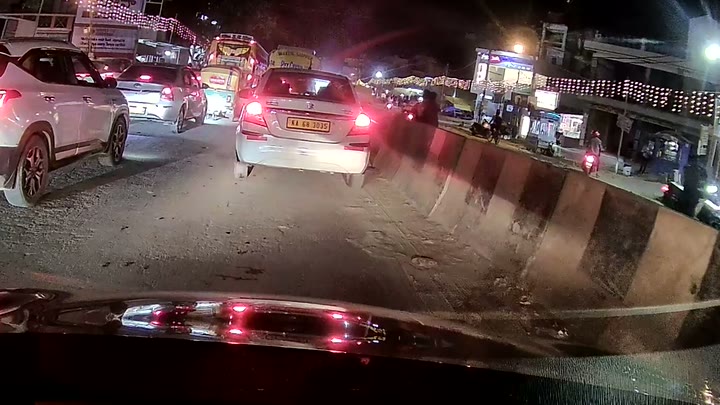
Grainy footage is where number plates go to die. DashMan runs 4× AI super-resolution on your phone, after the fact — so the detail comes back and the frame never leaves your device. Drag the handle to compare. How on-device AI enhancement works →

COMPETITOR FOOTAGE
AI ENHANCED
◂▸

Real night footage from an Indian road — the detail 4× enhancement recovers. Drag the handle any time. Enhancement runs on-device, so the frame never leaves your phone.

On Indian roads, every night

Built for the drive you actually take.

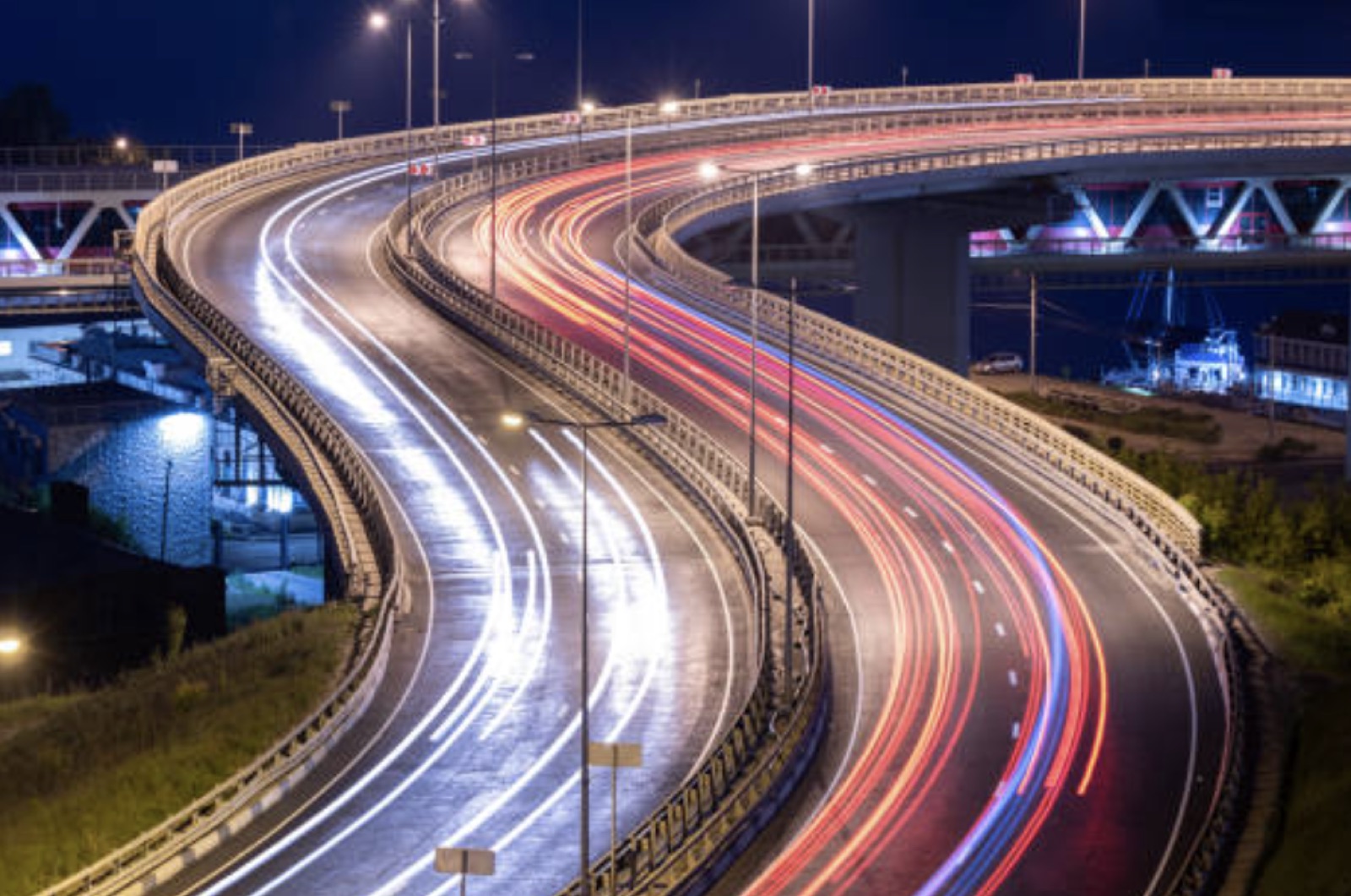
Same flyovers, same night glare, same city traffic DashMan is tuned for — not a lab bench.

Night traffic light trails on an Indian flyover — the low-light driving DashMan is tuned for
Incident locked1
Number plate recovered.
Detail pulled back from a 20 m night frame — on your phone.
GPS trajectory logged
006 · FAQ

Questions worth asking.

What is DashMan?

DashMan is an Indian car dashcam brand building a high quality, reliable dash cam at an affordable price, whose footage stays in India — synced camera-to-phone over local WiFi, with optional cloud backup hosted in a local cloud in India. It's pre-launch, with a free waitlist open.

Does DashMan footage leave India?

No. Footage syncs over local WiFi and stays on your device; it never routes through a foreign or Chinese cloud. Optional cloud backup is opt-in and hosted in a local cloud in India. More →

Does the dashcam keep recording when the app is closed?

Yes. The camera records to its microSD card independently of the phone, so backgrounding or closing the app never stops recording. More →

How much will a DashMan dashcam cost?

Pricing is announced at launch — a high quality, reliable dashcam at an affordable price. See the dash cam price guide.

See all 55 questions in the full FAQ →

Get started

Get your discount code.

Join the waitlist and we'll send you a discount code for the soft-launch batch — then we'd like to talk to you directly about what you actually want in a dashcam. No spam, no price teasers.

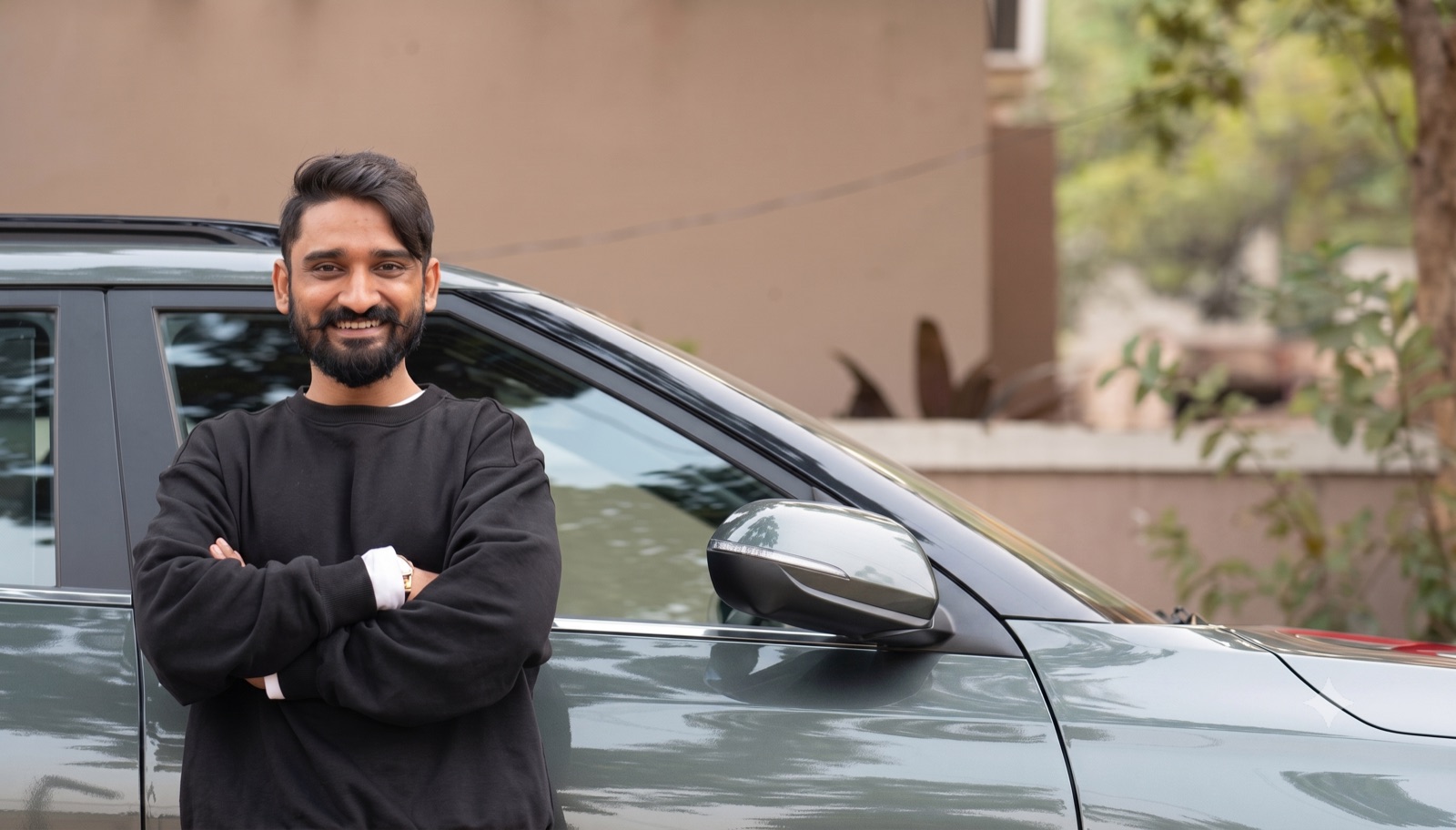
A DashMan beta driver standing beside his car

Built with drivers like you.

Every screen in the app demo above runs on a real DashMan unit, tested by real Indian drivers before it ships to anyone else.